
List View
List View presents your events as an easy-to-scan agenda. Tap the second button from the left on the bottom toolbar to switch to it.
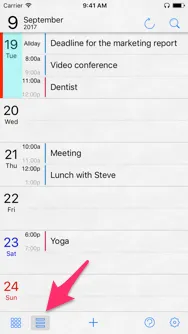
Open an event’s details
Tap an event title to see its full details.
Add a new event
Select a date, then tap the + button in the center of the bottom toolbar to add an event.