
Search for events
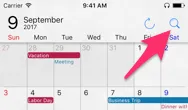
Tap the magnifying-glass button in the upper-right corner to open Search.
Start typing in the search field — results appear automatically as you type.
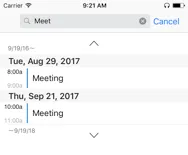
Change the search period
- Tap v to move the search period forward.
- Tap ^ to move the search period backward.
Close Search
Tap Cancel to close the Search view.